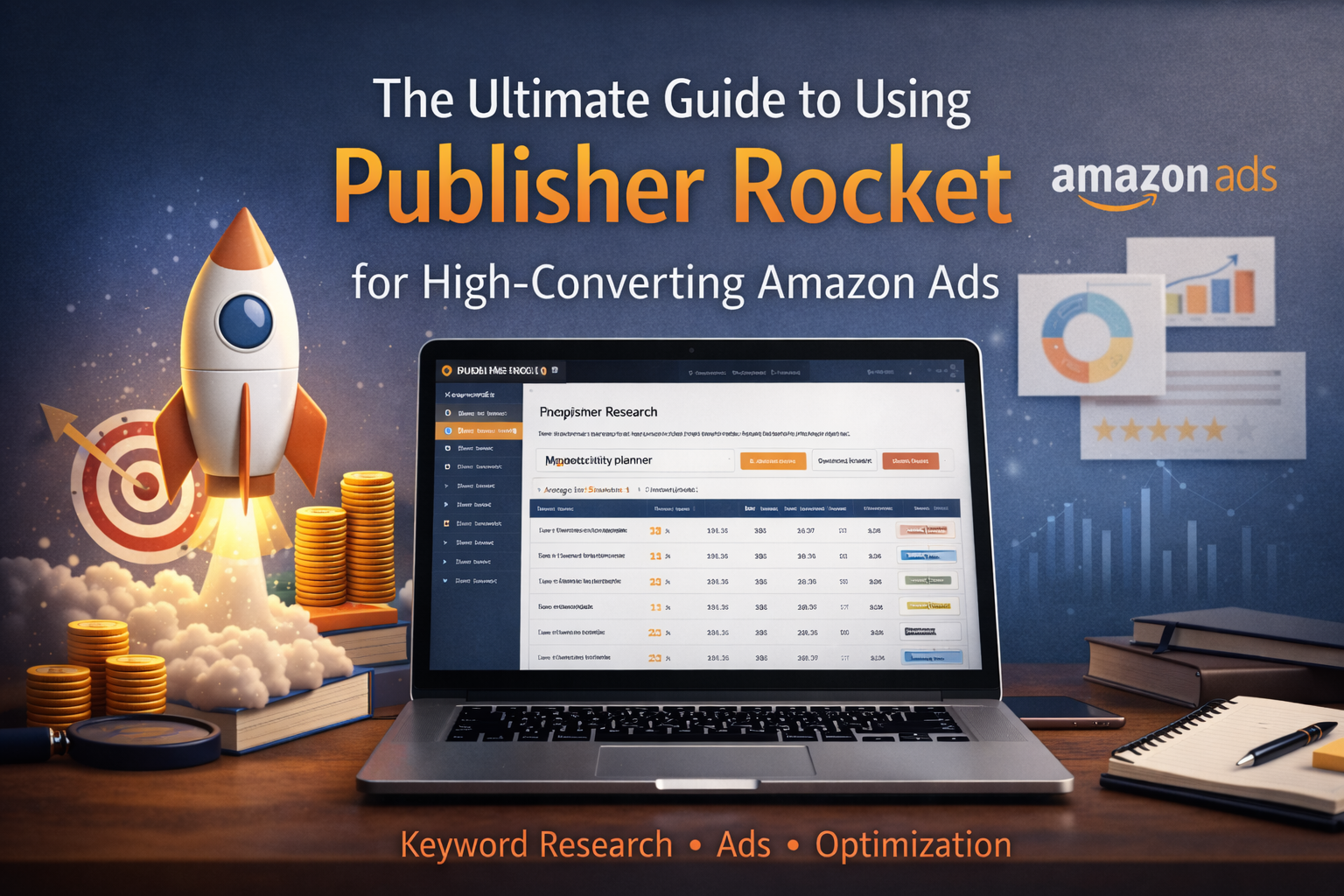
The Ultimate Guide to Using Publisher Rocket for High-Converting Amazon Ads
KDP ToolsJanuary 13, 2026•19 min read
Table of Contents
—
Introduction: Why Publisher Rocket is the Key to Amazon Ads Success
For self-published authors, the difference between a book that lingers in obscurity and a bestseller often comes down to one factor: discoverability. While Amazon Marketing Services (AMS) provides the platform to reach readers, running ads without accurate data is essentially gambling. This is where Publisher Rocket becomes an indispensable asset in your marketing stack.
What is Publisher Rocket?
At its core, Publisher Rocket is a market intelligence software designed specifically for authors. Unlike general SEO tools, it pulls real-time data directly from Amazon to reveal what readers are actually searching for. It moves beyond simple guesswork, providing actionable insights into keywords, competitor performance, and category data. It acts as the bridge between your manuscript and the complex algorithms that dictate visibility on the Kindle Store.
Why Manual Keyword Research Often Fails Authors
Many authors attempt to build ad campaigns using the “Amazon Autofill” method—typing a phrase into the search bar and copying the suggestions. This approach is fundamentally flawed for two reasons:
-
Lack of Search Volume: You have no way of knowing if 10 people or 10,000 people are searching for that term per month.
-
Invisible Competition: You cannot see how difficult it is to rank for that term or what the average cost-per-click (CPC) might be.
Manual research leaves you flying blind, often resulting in high ACoS (Advertising Cost of Sales) and wasted budget on keywords that never convert.
The Evolution of the Publisher Rocket Amazon Ads Strategy
Publisher Rocket has evolved from a simple keyword finder into a comprehensive AMS powerhouse. The strategy has shifted from “casting a wide net” to precision targeting. Modern strategies utilize the tool’s AMS Keyword Search and Competitor Analyzer to identify hundreds of profitable keywords and specific ASINs (competitor books) to target directly. This evolution allows authors to place their ads on the product pages of similar, best-selling books, hijacking traffic with high intent.
Setting Your Goals for High-Converting Campaigns
Before diving into the software, you must define what “success” looks like. Publisher Rocket provides the data, but you must determine the objective. Are you looking for profitability (low bid, specific keywords) or visibility (higher bid, broader categories)? By aligning Rocket’s data capabilities with a clear goal, you ensure every dollar spent contributes to a sustainable author career.
Deep Dive into the AMS Keyword Search Tool
The difference between a profitable Amazon Advertising campaign and a budget-draining disaster often comes down to one factor: keyword selection. While manual research involves aimlessly clicking through “Customers Also Bought” sections, the AMS Keyword Search feature within Publisher Rocket is designed to automate and aggregate this data. It moves you from a “spray and pray” approach to a targeted, data-driven strategy.
Understanding the AMS Keyword Research Interface
When you first open Publisher Rocket, you will see several modules, but for advertising, the AMS Keyword Search is your command center. Unlike the standard Keyword Search tool (which is optimized for organic SEO), this interface is specifically engineered to scrape Amazon’s database for terms shoppers actually type when looking for books like yours.
The interface is deceptively simple. It provides a search bar for your “seed” keywords and allows you to toggle between eBook and Book formats. However, the power lies in its ability to categorize results by Author Names, Book Titles, and ASINs, giving you distinct targeting angles right from the start.
How to Generate Thousands of Relevant Keywords in Minutes
The magic of this tool is its speed. To begin, enter a broad descriptor of your genre or a well-known competitor (e.g., “Space Opera” or “Andy Weir”). Rocket then performs an A-Z search through Amazon’s search bar auto-suggestions.
Essentially, Rocket types “Andy Weir a,” “Andy Weir b,” and so on, scraping every suggestion Amazon makes to real customers. Within seconds, you are presented with a list of hundreds, sometimes thousands, of keywords.
Pro Tip: Don’t stop at one search. Run searches for:
-
Genre terms: (e.g., “Psychological Thriller”)
-
Comp Authors: (e.g., “Gillian Flynn”)
-
Comp Titles: (e.g., “Gone Girl”)
This creates a massive pool of potential targets that manual research would take weeks to compile.
Decoding Search Volume and Relevance Scores
Once the list generates, you aren’t just looking at raw words; you are looking at market intent. Publisher Rocket provides critical metrics, but for AMS, relevance is king.
-
Author Names: These usually offer the highest conversion rates. If a reader searches for a specific author in your niche, and your book appears with a compelling cover, you are intercepting highly qualified traffic.
-
Book Titles: Similar to author names, these indicate high intent.
-
Generic Keywords: Terms like “scary books” usually have high volume but lower conversion rates and higher costs (CPC).
Use Rocket’s data to identify which keywords are specifically associated with books rather than general merchandise. The tool helps you distinguish between a search for “Harry Potter book” (good target) and “Harry Potter costume” (bad target).
Filtering Your Results: Finding the ‘Goldilocks’ Keywords
Having 2,000 keywords is useless if half of them burn your budget. You need to filter for the “Goldilocks” zone, keywords that are popular enough to get impressions, but specific enough to convert.
Use the Export feature to move your list to a spreadsheet, then apply the following filters:
-
Remove unrelated genres: If you wrote a clean romance, filter out results that include “steamy” or “erotica.”
-
Check for format mismatch: Ensure you aren’t targeting audiobook-specific terms if you only have a Kindle edition.
-
The “Goldilocks” Mix: Prioritize keywords that are specific titles or authors. These are your “low hanging fruit.” They may have lower search volume individually compared to generic terms, but collectively, they form a high-converting, low-competition foundation for your ad groups.
By rigorously filtering your Publisher Rocket data before uploading it to Amazon, you ensure every dollar spent is chasing a relevant reader, not just a random impression.
Competitive Analysis: Identifying High-Impact ASINs for Product Targeting
While keyword campaigns are the backbone of most Amazon Ad strategies, Product Attribute Targeting (PAT) is often where the highest ROAS (Return on Ad Spend) is found. Instead of bidding on search terms, PAT allows you to place your book directly on the product pages of your competitors. To do this effectively, you need more than just a list of bestsellers; you need Publisher Rocket’s deep data capabilities.
Using the Competition Analyzer to Spy on Top Sellers
The Competition Analyzer is your window into the market’s performance. Rather than manually clicking through Amazon’s Best Seller lists, this feature aggregates data for books ranking for specific keywords.
Enter a broad term describing your genre (e.g., “psychological thriller”). Rocket will populate a list of the top-ranking books for that term. Crucially, it provides the “hard” data usually hidden from view: the book’s age, price point, and average monthly earnings. This allows you to differentiate between a “legacy bestseller” that hasn’t sold a copy in months and a “hot new release” currently driving massive traffic.
Extracting Profitable ASINs for Product Attribution Ads
The goal of PAT campaigns is to place your ad on a competitor’s page where you have a statistical advantage. Publisher Rocket allows you to export thousands of ASINs, but you should filter these list for maximum conversion.
Use the data grid to identify “vulnerable” competitors. Look for ASINs where:
-
The Price is Higher: If your book is \$2.99 and the competitor is \$4.99, your ad looks like a bargain.
-
The Cover is Outdated: A modern, professional cover stands out against older designs.
-
The Review Rating is Lower: Target books with 3.5 to 4 stars; dissatisfied readers are more likely to click away to your 5-star book.
Simply click the “Export” button to download these specific ASINs and paste them directly into your Amazon Ad console.
Analyzing Competitor Daily Sales to Estimate Ad Potential
A common mistake in PAT campaigns is targeting books that get no traffic. Even if you have a better cover and price, your ad won’t generate impressions if nobody visits the competitor’s page.
Use Rocket to examine the Daily Sales and ABSR (Amazon Best Sellers Rank) columns. Prioritize targeting ASINs with high daily sales volume. High sales equate to high page traffic, which guarantees your ad will actually be seen by browsing readers.
Identifying Keyword Gaps Your Competitors Are Missing
Finally, look at the keywords your competitors are not utilizing. By clicking the “Keywords” feature next to a competitor’s book in the Analyzer, you can see what terms they rank for.
If a top-selling competitor is ranking for “Sci-Fi Adventure” but has failed to optimize for “Space Opera,” and your book fits both, you have identified a keyword gap. You can aggressively bid on the “Space Opera” keyword, knowing the market leader is leaving that traffic lane wide open for you to dominate.
Advanced Category Research for Broader Ad Reach
While keyword and product targeting allow for surgical precision, Category Targeting enables you to cast a wider net to capture readers who are browsing, rather than searching. However, relying solely on Amazon’s native dashboard to select categories can lead to wasted spend on broad, oversaturated genres. Publisher Rocket’s Category Search tool allows you to refine this strategy for maximum ROI.
Finding Niche Categories for Category-Targeted Ads
Amazon’s ad dashboard often obscures the full range of available category strings. Publisher Rocket unlocks these hidden paths. Instead of targeting a broad tier like “Science Fiction,” which will drain your budget quickly, use Rocket to identify deep-level sub-genres such as Books > Science Fiction > Hard Science Fiction.
These granular categories are gold mines for ads. They possess a dedicated readership that browses specific sub-genre lists, ensuring your book is seen by the most relevant audience possible.
Using the Category Search Tool to Lower Your ACOS
High ACOS (Advertising Cost of Sales) is frequently the result of bidding on categories where the competition is fierce. Publisher Rocket allows you to analyze the competitiveness of a category before you spend a dime.
Look for categories in Rocket where the sales volume is healthy, but the major publishing houses aren’t dominating every slot. By targeting these “underserved” categories, you can secure impressions at a significantly lower Cost-Per-Click (CPC), effectively lowering your ACOS while maintaining steady visibility.
Strategic Placement: How to Appear on the Right Best Seller Lists
When you run a Category Search ad, your book often appears on the Best Seller and New Release pages for that specific category. This is prime real estate.
Use Rocket to view the current top books in a potential target category. Ask yourself: Does my cover and price point fit visually with the top 10 books here? If your book looks native to that Best Seller list, your Click-Through Rate (CTR) will increase naturally. Use Rocket to find categories where your book looks like a bestseller, even if you haven’t organically ranked there yet.
The Intersection of Category Relevance and Ad Conversion
Data is useless without context. The most common mistake is targeting a category solely based on high search volume. Amazon’s algorithm penalizes ads with low conversion rates. Even if Rocket finds a category with 2,000 daily sales, do not target it if your genre fit is tenuous.
Prioritize relevance over volume. High relevance leads to better conversion rates, which signals to Amazon that your ad is valuable, eventually lowering your bid costs over time.
Building Your Campaign: Translating Rocket Data into Amazon Ad Groups
Now that you have exported your CSV files from Publisher Rocket, you possess a goldmine of data. However, simply uploading hundreds of terms into a single campaign is a recipe for budget drain. To convert that data into sales, you must structure your Amazon Advertising console to support granular optimization.
Structuring Your Account for Maximum Visibility
Think of your campaign structure as a filing cabinet. If you throw every document into one drawer, you’ll never find what you need. A successful KDP advertising architecture generally follows the One Campaign per Strategy rule.
Instead of one massive campaign, create distinct campaigns for each strategy derived from your Rocket research: one for Category Targeting, one for Keyword Search, and one for Product Targeting. This ensures that a high-volume category ad doesn’t eat up the daily budget intended for your specific keyword ads.
Creating Separate Ad Groups for Keywords vs. ASINs
This is a non-negotiable rule for data hygiene: Never mix Keyword Targeting and Product (ASIN) Targeting in the same Ad Group.
Publisher Rocket provides two distinct types of lists:
-
Keyword Search: Terms readers type into the search bar.
-
Competitor Analysis: Specific books (ASINs) where you want your ad to appear on the product page.
Create a specific Ad Group named “Competitor ASINs” for your product targeting list. Create a separate Ad Group (or Campaign) for your keywords. Mixing them confuses the Amazon algorithm and makes it nearly impossible to analyze your Click-Through Rate (CTR) accurately, as user intent differs wildly between searching and browsing.
Matching Types: When to Use Broad, Phrase, or Exact Match
Publisher Rocket hands you the keywords, but Amazon asks how strictly to follow them. Use a tiered approach:
-
Exact Match: Use this for the “Rocket Fuel” keywords—the ones with high search volume and perfect relevance to your book. You want Amazon to target these specific phrases without variation.
-
Phrase Match: Best for the longer-tail keywords you found in Rocket. This allows for slight variations (e.g., adding words before or after your key phrase) while maintaining context.
-
Broad Match: Use sparingly. Publisher Rocket has already done the heavy lifting of finding specific terms. If you use Broad match on high-volume terms, you risk appearing for irrelevant searches, lowering your conversion rate.
Setting Initial Bids Based on Publisher Rocket Insights
Determining your Cost Per Click (CPC) can be tricky. Use Publisher Rocket’s Competition Score to guide your aggression.
-
High Competition (Score > 75): These keywords are expensive real estate. If the keyword is highly relevant, start your bid at or slightly above Amazon’s “Suggested Bid” to gain initial impressions.
-
Low Competition (Score < 40): These are your hidden gems. You can often bid slightly below Amazon’s suggestion and still win placements because fewer authors are bidding on them.
By aligning your bids with the competitive landscape Rocket revealed, you avoid overpaying for easy wins and underbidding on competitive terms that drive volume.
The Negative Keyword Strategy: Eliminating Wasted Spend
While most authors focus entirely on finding the “perfect” keywords to target, the secret to a high ROI campaign is often what you don’t target. Negative keywords are your defense mechanism, preventing Amazon from showing your ad to shoppers who have no intention of buying your specific book. Using Publisher Rocket proactively can save you hundreds of dollars in wasted ad spend before your campaign even goes live.
Identifying Irrelevant Terms During the Research Phase
When you run a Keyword Search in Publisher Rocket, you will inevitably see high-volume search terms that don’t fit your book. Instead of ignoring these, you must actively document them. For example, if you write “Hard Sci-Fi,” Rocket might reveal high traffic for “Fantasy Romance Sci-Fi.” If your book doesn’t contain romance, every click from that search term is wasted budget. Look specifically for terms indicating intent mismatches, such as “free,” “audiobook” (if you don’t have one), or specific author names that write in a sub-genre drastically different from yours.
Creating a Master Negative Keyword List in Publisher Rocket
As you export your keyword lists from Rocket, creating a “Master Negative List” is just as vital as your target list. Scan the Excel export for recurring themes that signify poor fit. Common culprits often include:
-
Format mismatches: “PDF,” “EPUB,” “used books.”
-
Audience mismatches: “for kids,” “young adult” (if writing erotica or grimdark), “christian” (if writing secular).
-
Price mismatches: “free,” “kindle unlimited” (if you are wide).
Group these terms into a single text file. When creating your campaigns, you will paste these into the Negative Exact or Negative Phrase fields at the campaign level.
Protecting Your Budget from Low-Conversion Search Terms
By inputting these negative keywords at launch, you force Amazon’s algorithm to be more precise. This is particularly crucial for Auto Campaigns and Broad Match manual campaigns, where Amazon casts a wide net. If you add “free” as a negative phrase match, you instantly block your ad from appearing for thousands of window-shoppers looking for freebies, ensuring your budget is reserved for customers with credit cards in hand.
Ongoing Maintenance: Updating Your Negative Lists
Publisher Rocket helps you start strong, but maintenance is key. Once your ads have run for two weeks, download your Search Term Report from the Amazon Advertising dashboard. Compare the actual search terms that generated clicks against your original Rocket research. If you spot new irrelevant terms that slipped through the cracks, add them to your negative list immediately. This cycle of research and refinement is the fastest path to a lower ACOS and higher profitability.
Optimizing and Scaling Your Amazon Ads Performance
Launching your campaigns is only the first step. To turn Publisher Rocket data into sustained profit, you must transition from a researcher to an optimizer. The “set it and forget it” mentality is the fastest way to drain your budget; instead, use the data Amazon generates to refine your original Rocket research.
Analyzing Your Search Term Reports Against Rocket Data
Your Amazon Search Term Report tells you exactly what customers typed into the search bar before clicking your ad. While Publisher Rocket gave you the initial targets, actual customer behavior will always reveal surprises.
Review your report weekly. When you find a search term that is converting well (high sales, low ACOS), cross-reference it with Rocket. Plug that specific winning term back into Rocket’s Keyword Search feature. Often, one winning search term is the tip of an iceberg; Rocket will likely reveal 10–20 semantically related variations of that “winner” that you haven’t targeted yet. This creates a feedback loop where Amazon data fuels new Rocket research, expanding your reach into proven profitable niches.
Scaling Winning Keywords Without Destroying Your ROI
When you identify a keyword with a high conversion rate, the instinct is to double the bid immediately. Do not do this. Drastic bid increases often disrupt the Amazon algorithm, causing your Cost Per Click (CPC) to spike without a proportional increase in sales.
Scale incrementally. Increase bids on winning keywords by 10% to 20% every 4–5 days. Monitor the impressions and ACOS after each bump. Additionally, take your high-performing keywords from “Broad” or “Phrase” match campaigns and move them into a dedicated “Exact Match” campaign. This allows you to bid aggressively on specific terms you know work, isolating them from the fluctuating costs of broader targeting.
A/B Testing Your Ad Copy to Complement Your Keywords
Even the best Rocket keywords won’t save a bad ad. Your keywords generate impressions, but your ad copy generates the click.
If you are running Custom Text ads (Sponsored Products), use Rocket’s Competition Analyzer to study the subtitles and hooks of the top-performing books in your category. Are they highlighting a specific trope, pain point, or benefit? Run two versions of your ad creative simultaneously:
-
Ad A: Focuses on the genre/trope (e.g., “A heart-stopping space opera”).
-
Ad B: Focuses on the emotional hook or character (e.g., “She had one chance to save the galaxy”).
Keep the keywords the same, but change the copy to see which message resonates with the audience Rocket helped you find.
When to Rerun Your Publisher Rocket Research Cycles
The Amazon marketplace is not static. New competitors enter, seasons change, and reader trends shift. A keyword list that worked in Q1 might be obsolete by Q3.
You should perform a full Publisher Rocket research cycle quarterly or one month prior to a major holiday push. Specifically, check the Category Search tool. Amazon frequently adds or renames categories. Being the first to identify a newly added, low-competition category in Rocket allows you to dominate the “New Releases” charts before other authors realize the category even exists.
Common Mistakes and Final Best Practices
Even with a tool as powerful as Publisher Rocket, the difference between a profitable campaign and a money pit often lies in execution. Before you launch, it is critical to sidestep the pitfalls that trip up many authors and solidify your strategy for the long term.
Avoid Over-Saturating Your Ad Groups
A frequent error new advertisers make is “keyword dumping.” Publisher Rocket acts like a firehose of data, often providing hundreds of potential keywords. However, pasting 900 keywords into a single ad group is a strategic mistake. Amazon’s algorithm struggles to allocate impressions effectively when an ad group is bloated, often exhausting the daily budget on a few high-volume, low-intent terms while ignoring your specific long-tail gems.
Instead, practice segmentation. Break your Rocket exports into smaller, thematically relevant clusters (e.g., separate “Competitor Authors” from “Genre Descriptors”). This granular approach gives you clearer data on what is working and allows you to control bids more effectively.
The Danger of Ignoring Seasonal Trends in Rocket Data
Data is a snapshot, not a promise. Rocket might display high search volume for terms like “beach read” or “holiday romance,” but context is king. Bidding heavily on summer-specific keywords in November is a recipe for wasted spend. Always utilize the Trend Data features or cross-reference the Google Trends link provided within Rocket. Ensure the volume you are seeing is relevant to the current buying cycle, not a ghost of last quarter’s traffic.
Summary Checklist for a High-Converting Strategy
Before enabling your campaigns, run through this final quality assurance protocol:
-
Relevance Audit: Have you ruthlessly culled broad terms that don’t match your specific sub-genre?
-
Dual Targeting: Are you utilizing both Keyword and Product (ASIN) targeting campaigns?
-
Defensive Moat: Did you load your Negative Keyword list to block known irrelevant clicks immediately?
-
Bid Calibration: Are your initial bids competitive based on Rocket’s average CPC suggestions?
Next Steps: Moving from Setup to Sustainable Growth
Success with Amazon Ads is not a “set it and forget it” activity. Publisher Rocket handles the heavy lifting of research, but your Advertising Dashboard is where sustainable growth happens.
Your next step is to monitor your Search Term Reports weekly. Use this data to harvest new, profitable customer search terms and add them back into Rocket to find related variations. Treat your ad strategy as a living ecosystem: research with Rocket, test on Amazon, optimize based on data, and repeat.
Recommended Resources
Publisher Rocketamazon ads strategy
Michael Osborne
Michael Osborne is the creator of KDP Launch Lab, where he teaches simple, practical publishing systems for low content, public domain, and high content books.
Back to Blog