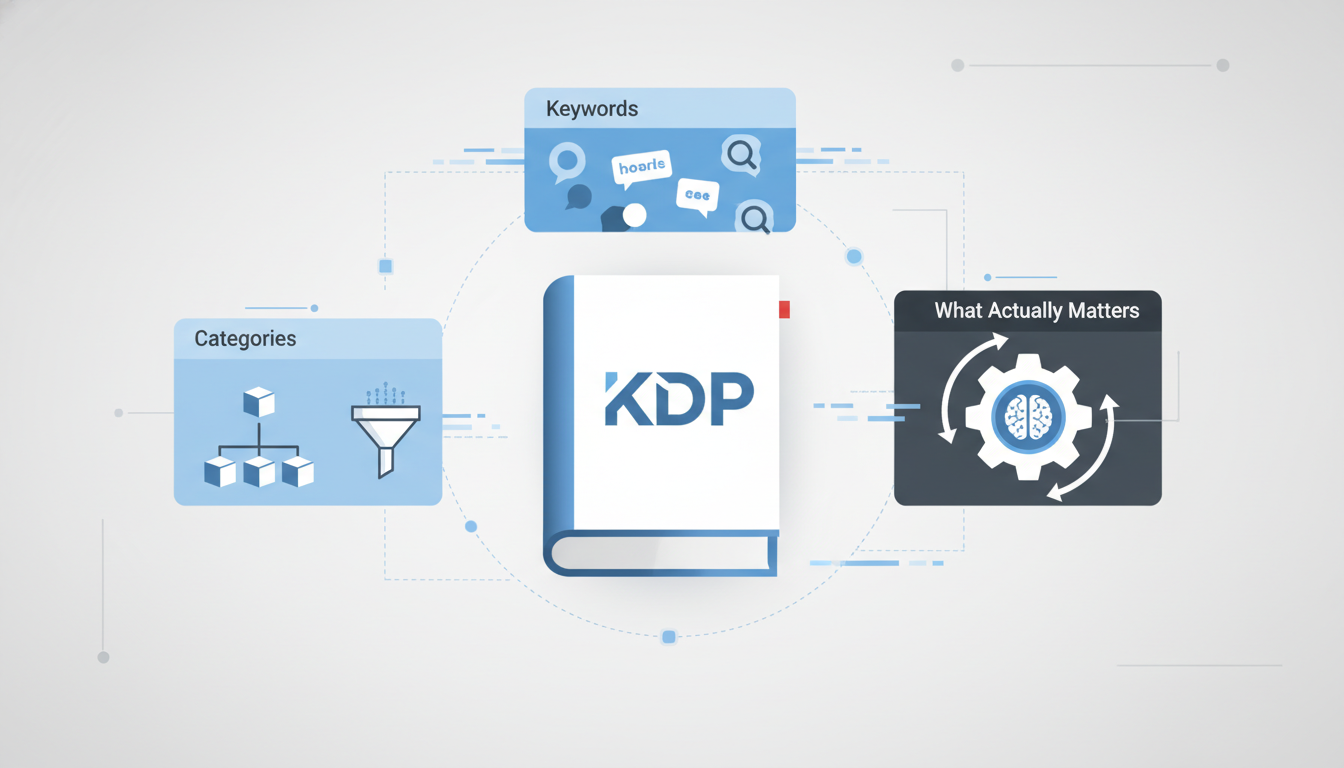
KDP Metadata Explained: Categories, Keywords, and What Actually Matters on Amazon
KDP BasicsDecember 24, 2025•19 min read
Understanding KDP Metadata: The Engine Behind Your Book’s Discoverability
To the uninitiated, metadata sounds like dry administrative work. To the successful self-publisher, it is the fundamental mechanism that determines whether a book lives or dies on the Amazon store. Before diving into specific tactics, you must understand the architecture of the machine you are trying to navigate.
What is Metadata in the Context of Self-Publishing?
At its core, metadata is data about your data. In the context of KDP, it is every piece of information used to describe your book to a machine that cannot “read” the book itself. While you focus on the prose inside, Amazon’s robots only see the inputs you provide on the dashboard.
This includes visible metadata (Title, Subtitle, Author Name, Series Name) and invisible metadata (Backend Keywords, BISAC Categories, Age Ranges). Together, these inputs form the digital DNA of your product, telling Amazon exactly what your book is and where it belongs on the digital shelf.
Why Metadata is the Key to Amazon’s Search Algorithm (A9/A10)
Amazon is not a library; it is a search engine designed for commerce. The Amazon algorithm (often referred to as A9 or A10) has one primary directive: maximize Revenue Per Search.
When a customer types a query into the search bar, the algorithm scans millions of products instantly. It relies entirely on your metadata to determine relevance. If your backend keywords and categories do not align with the customer’s search intent, your book is effectively invisible. Proper metadata indexing ensures your book is eligible to appear in the search results; without it, you are locked out of the marketplace conversation.
The Vital Difference Between Discoverability and Conversion
A common pitfall for authors is conflating these two distinct metrics.
-
Discoverability is the job of metadata. It ensures your book appears in search results and category lists. It drives impressions.
-
Conversion is the job of your creative assets (Cover, Blurb, A+ Content). It turns a browser into a buyer.
If your book has high impressions but zero sales, your metadata is working, but your cover is failing. If you have zero impressions, your metadata is the bottleneck. You must optimize metadata to get the traffic before you can worry about converting it.
How Amazon Uses Your Data to Profile Your Ideal Reader
Your initial metadata inputs act as a “seed” for Amazon’s recommendation engine. Amazon uses your keywords and categories to show your book to a test audience. When those specific customers buy your book, Amazon creates a customer profile based on those readers’ past purchase history.
This data allows Amazon to place your book in the powerful “Customers who bought this item also bought” carousel. Accurate metadata ensures Amazon profiles the right reader; vague metadata confuses the algorithm, leading to low conversion rates and a suppression of your book’s visibility.
Mastering the Seven Backend Keywords for Maximum Reach
While your cover and title sell the book to humans, your backend keywords sell your book to the Amazon algorithm. These seven keyword boxes are the “silent salespeople” of your metadata, working in the background to connect your book with readers actively searching for it. Unlike your visible description, these keywords act purely as indexing signals, telling Amazon exactly where your book belongs in its massive database.
The Anatomy of a High-Performing Backend Keyword
A common misconception is that a “keyword” must be a single word. In reality, Amazon’s algorithm favors keyword phrases—specific strings of words that mimic how real readers search. A single word like “fantasy” is too broad and highly competitive; you will likely disappear in the noise.
However, a phrase like “coming of age urban fantasy for teens” targets a specific intent. Each of the seven backend boxes allows for a specific character limit (typically 50 characters per box for the US market). To maximize this space:
-
Focus on Logic: Group related terms (e.g., “space opera military sci-fi alien invasion”).
-
Skip the Filler: Amazon’s algorithm ignores “filler” words like a, and, the, of. Do not waste precious character count on them.
-
No Commas Needed: You do not need to separate words with commas; spaces are sufficient and save character slots.
How to Research Keywords Using Amazon’s Auto-Suggest
The most powerful free research tool available is Amazon itself. The search bar is a direct window into customer behavior. To harness this:
-
Go Incognito: Open a browser in “Incognito” or “Private” mode. This ensures Amazon doesn’t skew results based on your previous browsing history.
-
Start Broad: Type your genre into the search bar (e.g., “historical romance”).
-
Analyze the Dropdown: As you type, Amazon suggests completions. These are not random. They are ranked by search volume and popularity.
-
The Alphabet Soup Method: Type your genre followed by the letter ‘a’, then ‘b’, and so on (e.g., “historical romance a…”). This uncovers niche phrases like “historical romance ancient egypt” that you might not have considered.
The ‘Golden Rules’ of Keyword Selection: Relevancy vs. Volume
New authors often fall into the trap of chasing high-volume keywords. While high traffic is good, relevancy is king.
If you use a high-volume keyword like “Harry Potter” for a hard-boiled detective novel, you might get impressions (views), but you won’t get clicks. If you get clicks, you won’t get sales. Amazon tracks this conversion rate meticulously. If people click your book but don’t buy it because the keyword was misleading, Amazon’s algorithm will “punish” your book by burying it in the rankings.
The Golden Rule: Aim for specific, long-tail keywords where you can compete. It is better to dominate a smaller, highly relevant search term than to fail in a broad, oversaturated one.
Avoiding Keyword Stuffing and Policy Violations
Amazon is increasingly strict regarding metadata manipulation. To keep your account safe and your book ranking effectively, avoid these common pitfalls:
-
Do Not Repeat Metadata: If a word appears in your Title, Subtitle, or Contributor Name, do not put it in your backend keywords. It is already indexed. Repeating it is a wasted opportunity to rank for new terms.
-
No Competitor Names: Never use other authors’ names or book titles (e.g., “Stephen King,” “Game of Thrones”) in your keywords. This is a violation of Amazon’s intellectual property policies and can lead to account suspension.
-
Avoid Subjective Claims: Terms like “best seller,” “free,” or “kindle unlimited” generally do not belong in keyword slots and can be flagged as misleading.
Tools and Software for Professional-Grade Keyword Research
While manual research is effective, professional software can significantly speed up the process and provide data that the Amazon search bar hides—specifically, estimated search volume and competition difficulty.
-
Publisher Rocket: Widely considered the industry standard for authors, it provides a “competition score” to help you find low-competition keywords with decent search volume.
-
Helium 10: Originally for physical products, its “Cerebro” tool is excellent for reverse-engineering competitor keywords to see what successful books in your niche are ranking for.
-
KDSPY: A browser extension that offers quick insights into category and keyword performance while browsing Amazon.
Using these tools allows you to make data-driven decisions, turning the art of keyword selection into a science.
Navigating Amazon Categories and the Power of Niche Targeting
If keywords are the map readers use to find your book, categories are the specific shelves where your book lives. Placing your book on the wrong virtual shelf—or a shelf so crowded your spine is hidden—guarantees obscurity. Mastering category selection is about balancing broad relevance with specific, winnable battles.
BISAC vs. Amazon Store Categories: Understanding the Gap
Many authors are confused when the categories they select during the setup process don’t perfectly match what they see on the Amazon store. This is the difference between BISAC codes and Browse Nodes.
-
BISAC (Book Industry Standards and Communications): These are universal, industry-standard codes used by libraries and physical bookstores to organize inventory.
-
Amazon Store Categories (Browse Nodes): These are consumer-facing categories designed for the shopping experience (e.g., Kindle Store > Mystery, Thriller & Suspense > Psychological Thrillers).
Amazon’s algorithm attempts to map your selected BISAC codes to the most relevant Store Categories. However, this mapping isn’t always one-to-one. Understanding that your backend input helps determine but does not dictate your frontend placement is the first step in category management.
How to Identify and Dominate Micro-Niche Categories
The biggest mistake new authors make is selecting broad, high-traffic categories like “Romance” or “Self-Help.” These categories are dominated by publishing giants with massive marketing budgets. To succeed, you must target micro-niches.
The “secret” to becoming a Best Seller isn’t necessarily selling 10,000 copies a day; it is outselling the competition in a specific sub-category.
Strategies for Identifying Low-Competition Categories:
-
Analyze the Best Sellers Rank (BSR): Look at the #1 and #50 books in a specific category. If the #1 book has an overall Amazon BSR of 50 (selling thousands daily), the competition is too fierce. However, if the #1 book in a sub-category has a BSR of 8,000, you only need to sell a handful of copies a day to claim that top spot.
-
The “Orange Tag” Effect: When you hit #1 in a micro-niche, Amazon awards your book the “Best Seller” orange tag. This tag appears next to your book everywhere on the site—even in search results for other keywords. This social proof drastically increases your click-through rate (CTR), creating a snowball effect for sales.
The Modern Way to Manage Categories via KDP
Historically, authors could select two BISAC categories during setup and then email KDP Support to manually add up to eight more. This process changed significantly in 2023.
KDP has overhauled the dashboard to utilize a Category Picker that mirrors the Amazon Store hierarchy rather than BISAC codes.
-
The New Standard: You can now select three specific store categories directly in the KDP dashboard.
-
The Limitation: Because the dashboard now allows for granular selection, Amazon has largely phased out the manual request process for “extra” categories.
Therefore, you must choose your three allotted categories with extreme precision. Do not waste a slot on a generic category. Instead, drill down as deep as the hierarchy allows (e.g., Nonfiction > Business > Marketing > Telemarketing). If you believe your book belongs in a category not listed in the picker, you can still attempt to contact KDP Support via the “Update Amazon Categories” topic, but be aware that they strictly enforce the three-category limit in most cases.
Crafting Titles and Subtitles That Rank and Sell
Your book’s metadata might help readers find you, but your title and subtitle persuade them to click. While the cover catches the eye, the title engages the mind. A high-performing title structure acts as a psychological hook while simultaneously feeding Amazon’s A9 algorithm the context it needs to index your book correctly.
The Anatomy of a High-Performing Title
The strategy for titling differs significantly between fiction and non-fiction, though both rely on the psychology of the hook.
-
Fiction: The title must evoke an emotion or genre vibe. It rarely contains heavy keywords. Instead, it relies on intrigue (e.g., The Girl on the Train). The “hook” here is curiosity.
-
Non-Fiction: The title must sell a result or solution. The main title should be punchy and brandable (e.g., Deep Work), while the hook lies in the promise of transformation.
In both cases, your main title creates the brand. Do not try to force SEO keywords into the main title unless they fit organically. If your title is The Keto Diet for Beginners, that is excellent for SEO but poor for branding. A better approach is Ketogenic Life, using the subtitle to do the heavy lifting.
Subtitle Strategies: Balancing Keywords and Readability
The subtitle is the engine room of your book’s discoverability. This is where you balance keyword richness with brand readability.
A common mistake is treating the subtitle as a keyword bucket. Amazon’s algorithm—and human readers—penalize subtitles that look like this: “Sci-Fi Space Opera Alien Romance Action Adventure.” This is keyword stuffing, and it signals low quality.
Instead, use natural language phrasing to add context. A strong subtitle provides a clear value proposition or genre signifier while integrating keywords smoothly.
-
Bad: Weight Loss Fast Diet Healthy Eating Guide
-
Good: A Simple Guide to Rapid Weight Loss and Healthy Eating
This method allows you to rank for terms like “Weight Loss” and “Healthy Eating” without looking like spam.
Amazon’s Strict Guidelines: Staying Compliant
Amazon has tightened its grip on metadata compliance. The most common reason for a book getting blocked during the review process is a metadata mismatch.
To avoid rejection, ensure the following:
-
Exact Match: The title and subtitle entered in KDP must match the text on your cover file exactly. If you add extra keywords in the metadata field that do not appear on the cover art, Amazon will likely reject the book.
-
Prohibited Terms: Never use terms that claim temporary status or rank, such as “Best Seller,” “Free,” or “Volume 1” (if it is not part of a series field).
By focusing on a magnetic main title and a descriptive, keyword-rich subtitle, you satisfy both the human reader and the algorithmic bots.
Optimizing the Book Description: Converting Browsers into Buyers
While backend keywords ensure your book appears in search results, the book description is what convinces the browser to click “Buy Now.” It is the bridge between discovery and conversion.
The Role of Descriptions in External Search Engine Indexing
A common misconception among self-publishers is that Amazon’s internal algorithm (A9) crawls the book description for ranking keywords. Generally, it does not. However, Google does. Google spiders crawl your Amazon product page, indexing your description for external search results. Therefore, writing a description that naturally integrates long-tail keywords helps you capture traffic from outside the Amazon ecosystem, driving organic leads directly to your listing.
Using HTML and Basic Formatting to Improve Readability
Nothing kills conversion rates faster than a “wall of text.” Mobile browsing dominates Amazon traffic, and dense paragraphs are unreadable on small screens. You must use KDP-supported HTML to create visual hierarchy.
* Use or tags to highlight your hook or key endorsements.
* Use
tags for section headers.
* Use
- and
- tags to create bulleted lists.
Proper spacing and bolding guide the reader’s eye down the page, preventing scan-fatigue and highlighting the unique selling points.
Copywriting Formulas for Compelling Fiction Blurbs
For fiction, never summarize the entire plot. Instead, use the Hook, Conflict, Stakes formula to generate intrigue:
-
The Hook: Introduce the protagonist and their status quo.
-
The Conflict: Describe the inciting incident that disrupts their world.
-
The Stakes: Clearly articulate what the hero stands to lose if they fail.
End with a cliffhanger or a dramatic question. The goal is to create an “information gap” that can only be closed by purchasing the book.
Structuring Non-Fiction Descriptions for Maximum Authority
Non-fiction readers are looking for a solution to a specific problem. Structure your description using the PAS Formula (Problem, Agitation, Solution):
-
Identify the Problem: “Are you struggling to…?”
-
Agitate the Pain: Explain why the current situation is untenable.
-
Present the Solution: Position your book as the definitive answer.
Crucially, use a bulleted list to outline the transformational benefits (e.g., “You will learn how to…”) rather than just listing the features or chapter titles.
The Importance of Including Social Proof and Author Credentials
To convert a skeptical browser, you must mitigate risk. Place your strongest Editorial Review or endorsement at the very top of your description, italicized or bolded. If you have relevant credentials (such as a PhD for a health book) or previous bestseller status, state this clearly to establish authority. Social proof signals that your book has already been vetted, making the purchase decision “safe” for the new reader.
Advanced KDP Metadata Strategies for Long-Term Success
Many authors make the mistake of treating metadata as a “set it and forget it” task. However, the Amazon marketplace is a dynamic ecosystem; search trends shift, seasons change, and competitor tactics evolve. To maintain visibility, you must treat your metadata as a living component of your marketing strategy.
Testing and Iterating Your Metadata Based on Sales Data
Optimization is a cycle, not a destination. You should audit your seven backend keywords every 90 days. If a specific book has flatlined in sales despite consistent advertising, the root cause is often metadata stagnation.
-
The Strategy: Rotate out your two weakest-performing keyword phrases for new, high-potential search terms.
-
The Measurement: Monitor your Unit Session Percentage (conversion rate) in the KDP Reports dashboard for two weeks following the change. If conversions drop, revert the changes; if they rise, you have successfully optimized for current market intent.
The Impact of Series Metadata and Linking Multi-Format Editions
Disjointed product pages kill conversion rates. Ensuring your eBook, paperback, and audiobook editions are inextricably linked is vital for social proof aggregation. When linked properly, reviews from all formats combine, giving the customer higher confidence in the purchase. Furthermore, utilizing the KDP Series Manager is non-negotiable. This ensures Amazon generates a dedicated Series Page, which facilitates one-click upsells and improves read-through rates from Book 1 to the backlist.
How Metadata Directly Influences Amazon Advertising (AMS) Performance
Your organic metadata serves as the foundation for paid visibility. When running Automatic Targeting campaigns on Amazon Ads, the algorithm scrapes your title, subtitle, and backend keywords to decide where to show your book. If your metadata is vague or irrelevant, Amazon will show your ads to the wrong audience, resulting in low Click-Through Rates (CTR) and wasted ad spend. Tight, genre-specific metadata acts as a guide rail for the advertising algorithm.
Leveraging A+ Content to Supplement Your Metadata Strategy
While the text within A+ Content is not indexed by Amazon’s internal search engine, it is indexed by Google. More importantly, A+ Content acts as “visual metadata” that directly impacts conversion. By highlighting key themes and comparable titles visually, you reduce the bounce rate. A higher conversion rate signals to the Amazon algorithm that your book is relevant, which in turn boosts your organic search ranking.
Using Keyword Tracking Tools to Monitor Your Organic Ranking
You cannot improve what you do not measure. Relying on “best guess” intuition is dangerous. Utilize tools like Publisher Rocket or Helium 10, or perform manual incognito browser checks to monitor where your book lands for its target keywords. If you slip from Page 1 to Page 3 for a main search term, you need to intervene immediately—either by refreshing your keywords or driving traffic via ads to regain your organic position.
Common Metadata Pitfalls That Can Get Your Account Flagged
Amazon’s KDP algorithm isn’t just a search engine; it is a strict compliance monitor. While optimizing for visibility is crucial, crossing the line into metadata manipulation poses a severe risk to your publishing career. A suspended account is often the result of trying to “game” the system rather than serving the reader. Here is how to avoid the red flags that trigger Amazon’s compliance bots.
The Dangers of Using Competitor Names and Trademarked Terms
Attempting to draft off the success of established authors is a fast track to account suspension. Never include the names of other authors (e.g., “Stephen King”) or trademarked book titles (e.g., “Harry Potter”) in your backend keywords or description. Amazon views this as a confusing customer experience and a violation of Intellectual Property guidelines. Always check the USPTO database to ensure your keywords or series titles do not infringe on existing trademarks.
Why You Should Never Repeat Keywords Across Multiple Fields
Many authors mistakenly believe that repeating a keyword increases its ranking weight. In reality, Amazon considers this keyword stuffing. If a word appears in your Title, Subtitle, or Author Name, do not repeat it in your seven backend keyword slots. Repetition wastes valuable real estate and, in extreme cases, can look like spamming behavior to the algorithm. Trust that Amazon indexes your title; use the backend fields for synonyms and related concepts instead.
The Trap of Misleading Metadata: Why Accuracy Trumps Traffic
It is tempting to categorize a book in a less competitive, albeit irrelevant, category to secure a “Best Seller” tag. However, Amazon prioritizes customer satisfaction above all else. If you place a Romance novel in a “Non-Fiction” category, or label a low-content notebook as a “Textbook,” you risk creating a poor user experience. High return rates and negative reviews caused by misleading metadata signal to Amazon that your book is spam, often leading to it being stripped of its rank or blocked entirely.
Understanding ‘Subject Matter’ Tags and Other Hidden Fields
Beyond the standard seven keywords, KDP provides specific check-boxes for target audiences, such as age ranges and subject matter tags. Ignoring these or filling them out incorrectly to bypass filters (e.g., failing to tick “Adult Content” for erotica) is a violation of KDP terms. Data integrity matters; accurate tagging ensures your book finds the right readers without triggering the platform’s policing systems.
Your Step-by-Step KDP Metadata Implementation Checklist
Understanding the theory is essential, but execution is where sales are generated. To ensure your book is indexed correctly and visible to the right audience, follow this structured implementation roadmap.
Phase 1: Pre-Launch Keyword and Category Research
Do not wait until the upload screen to think about metadata. Start this process two weeks prior to publishing.
-
Validate Demand: Identify 10–15 specific search phrases with reasonable search volume but manageable competition.
-
Category Mapping: Select three specific categories. Remember, you choose two in the dashboard, but you can request additional niche placement via KDP Support.
-
Competitor Analysis: Audit the subtitles and descriptions of the top 5 books in your niche to identify gaps in their metadata coverage.
Phase 2: Setting Up Your KDP Bookshelf with Optimized Data
During the upload process, precision is key. Ensure your data complies with Amazon’s metadata guidelines to avoid account flags.
-
Title Consistency: Ensure the title and subtitle on your cover match the text fields exactly.
-
The 7 Backend Keywords: Fill all seven boxes. Do not repeat words found in your title, subtitle, or author name. Focus on long-tail variations and synonyms.
-
Description Formatting: Use an HTML generator to ensure your description utilizes bolding and bullet points for maximum readability.
Phase 3: Post-Launch Monitoring and Refinement Schedule
Metadata is not a “set it and forget it” task. It is a living ecosystem that requires maintenance.
-
The 30-Day Check: If impressions are low after launch, review your keywords. Swap out terms that are generating zero traffic.
-
Quarterly Audits: Review your keywords every 90 days. Trends change, and seasonal terms (e.g., “summer beach read” vs. “holiday gift”) should be rotated.
Conclusion: Making Metadata Your Competitive Advantage
Ultimately, metadata is the bridge between your manuscript and your reader. While a great cover stops the scroll, your metadata ensures the book appears in the search results in the first place. Treat this checklist not as a one-time chore, but as the ongoing engine of your book’s discoverability.
Recommended Resources
kdp metadataself-publishing tips
Michael Osborne
Michael Osborne is the creator of KDP Launch Lab, where he teaches simple, practical publishing systems for low content, public domain, and high content books.
Back to Blog
-